Telegram Bot Control
Telegram Bot Control adds the command menu and remote operational commands to an existing Telegram Bot channel. It consumes command replies before the optional Chat component records ordinary conversation messages.
Attach one menu to one bot channel
Start Telegram Bot
Configure the Bot API token and authorize the required chats in Telegram Bot.
Add Telegram Bot Control
Set a title and select the running Bot Thing. Only one Control component may be attached to a bot because two menus would compete for the same replies.
Start and test the menu
Send /start or return to the home menu from an authorized chat. Verify only the commands intended for that bot are exposed.
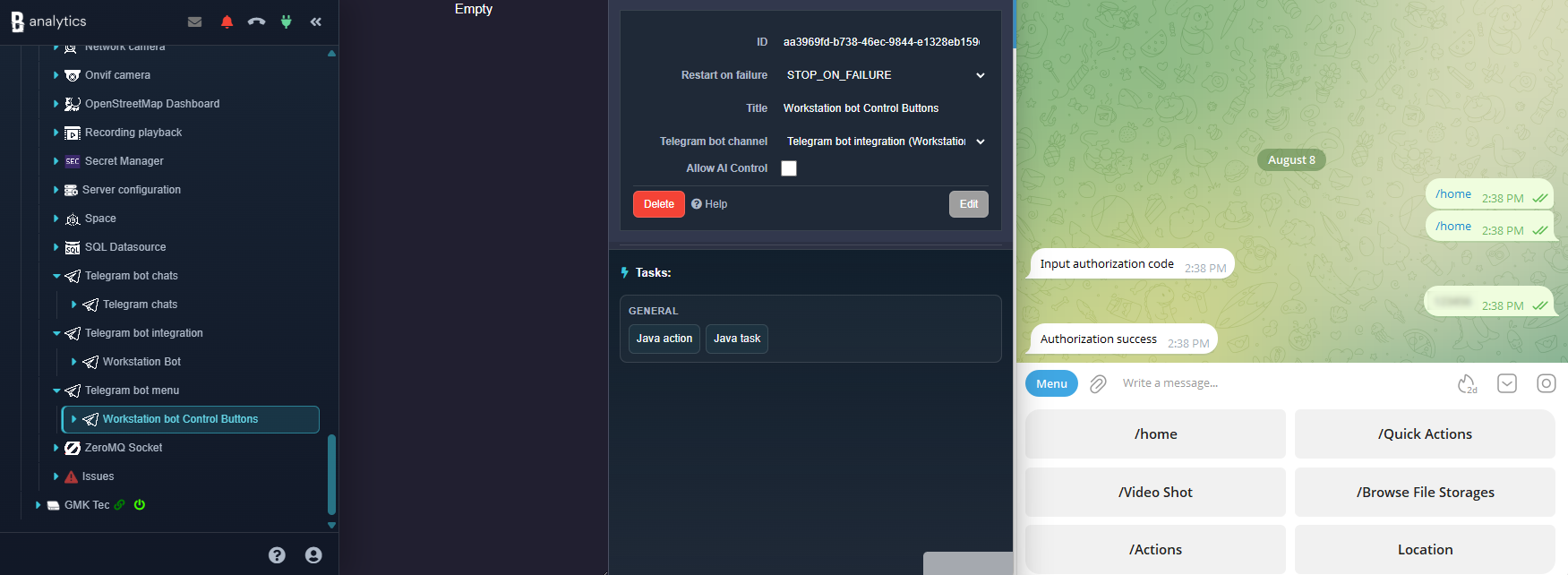
Configuration parameters
| Parameter | Required | Description | Default |
|---|---|---|---|
Title | Yes | Name shown in the component tree. | Empty |
Telegram Bot | Yes | Running Telegram Bot channel whose authorized updates and Bot API client are used by this menu. | None |
Expose approved operational shortcuts
Camera shots
Request a shot from one eligible source or browse snapshots from all configured sources.
Stored files
Browse File Storage and deliver selected photos, videos, audio, voice, or documents through the bot.
Configured actions
Browse and execute actions made available to the integration, including quick actions.
System commands
Logout, Agent reboot, and firmware reload are handled as explicit commands and must remain restricted to trusted authorized chats.
A command may open a short-lived context in which the next text or media message is its argument. Control receives that reply before Telegram Bot Chat, preventing a menu answer from also being stored as an unrelated conversation message.
Treat the menu as remote administration
- Authorize chats in the Bot Thing before starting Control.
- Remember that a Telegram group is authorized as one chat; every member may be able to use its exposed commands.
- Keep reboot, firmware, file, and general action commands unavailable unless their operational effect is understood.
- Remove or blacklist a chat immediately when its members or ownership change.