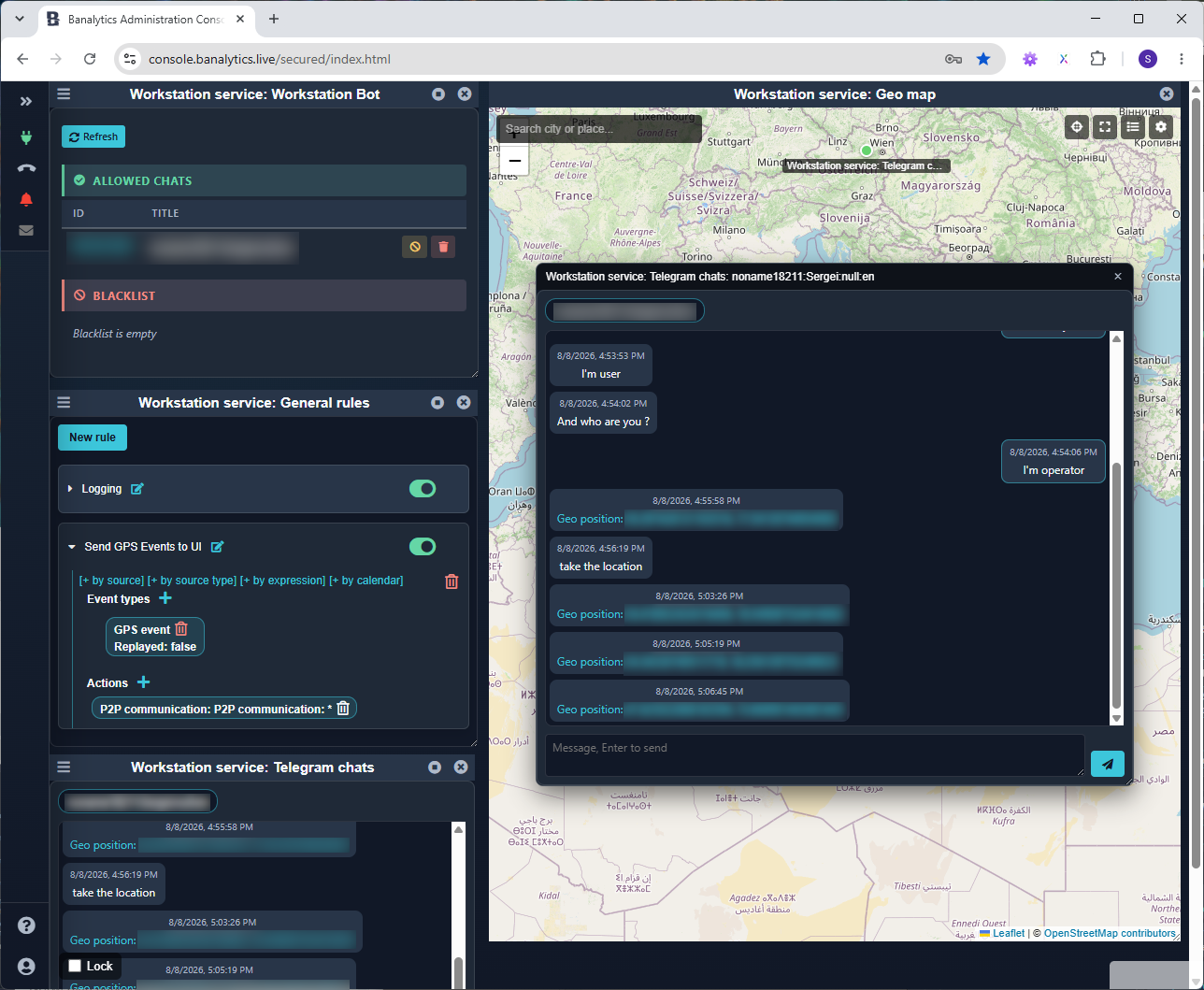
Telegram Bot Chat
Telegram Bot Chat stores authorized conversations in a Data Source, gives operators a browser chat panel, publishes message events, and converts locations shared by Telegram users into GPS events.
Add an operator conversation to a bot channel
Start the dependencies
Start the required Telegram Bot and a Data Source.
Configure Chat
Select the Bot Thing and Data Source, then choose conversation retention and the minimum interval for live-location GPS events.
Open the business panel
Select a chat, load its retained messages, and reply when the current portal user has action permission for this component.
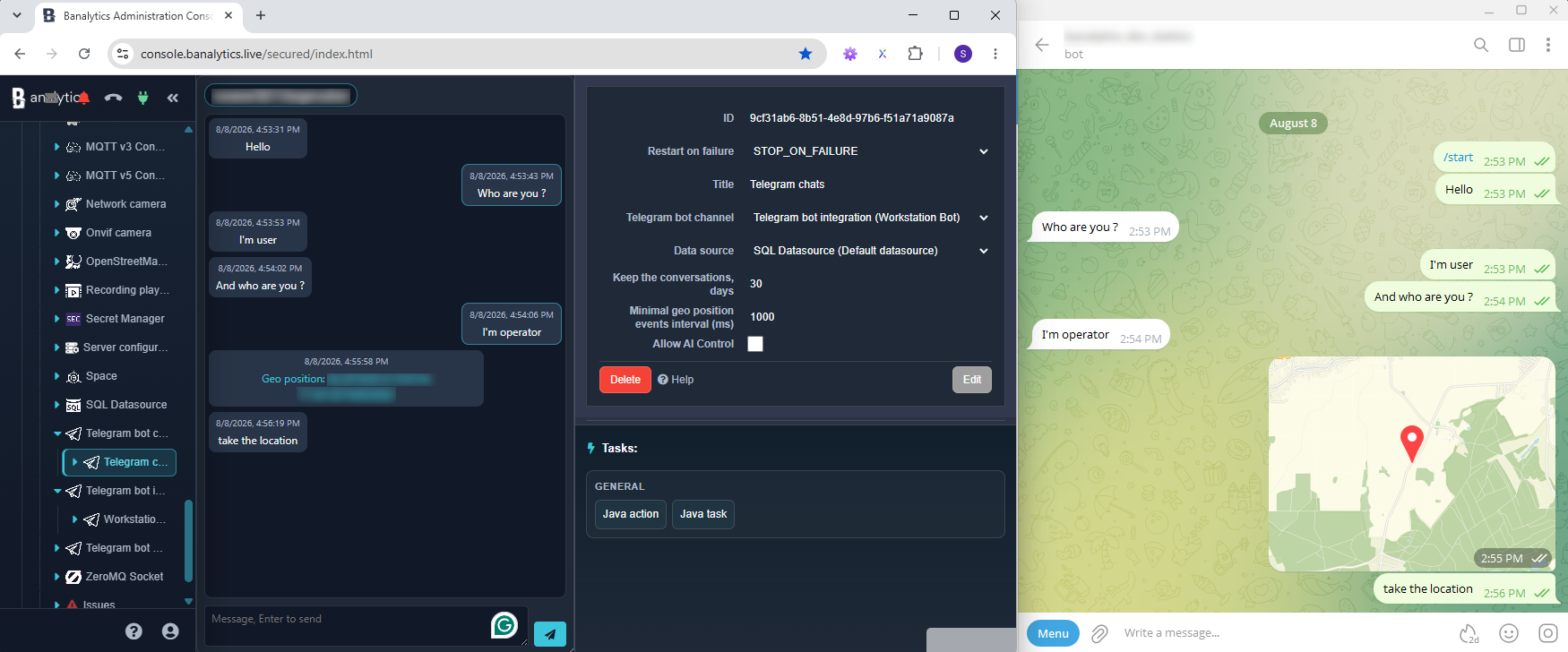
Configuration parameters
| Parameter | Required | Description | Default |
|---|---|---|---|
Title | Yes | Name shown in the component tree and message events. | Empty |
Telegram Bot | Yes | Running Bot Thing that receives authorized Telegram updates and sends operator replies. | None |
Data Source | Yes | Storage for chats and messages. Chat keeps its own conversation history instead of rebuilding it from Event History. | None |
History length | Yes | Conversation retention in days; range 0–3650. Zero keeps messages indefinitely. | 30 days |
Minimum geo-event interval | Optional | Throttle for consecutive live-location updates from the same chat; range 0–60000 ms. One-time positions are never throttled; zero disables throttling. | 1000 ms |
Retain conversations and publish message events
Incoming and outgoing messages are stored with their Telegram chat and exposed through the operator panel. Chat also publishes EVT_TG_MESSAGE, allowing Event Manager to react to a message without using the conversation database as an event queue.
Read access
readChats and readMessages require read permission.
Operator reply
actionSendMessage requires action permission; read access alone never authorizes sending.
Retention
Conversation cleanup follows this component's history length and is independent of Event History Recorder retention.
Turn every chat into a stable GPS track
A one-time location or live-location update from an authorized Telegram chat becomes a GPSEvent. The Chat component derives a stable node UUID from the Telegram chat ID, so map dashboards group each conversation into its own track across Agent restarts.
The event includes an explicit UI target for this Chat component. Clicking its marker in Cesium, Mapbox, or OpenStreetMap asks the Agent for the component and opens the matching conversation panel. The target does not bypass permissions: the current portal user still needs access to Telegram Bot Chat.